


Bank Account Verification Proven for Safer Withdrawals
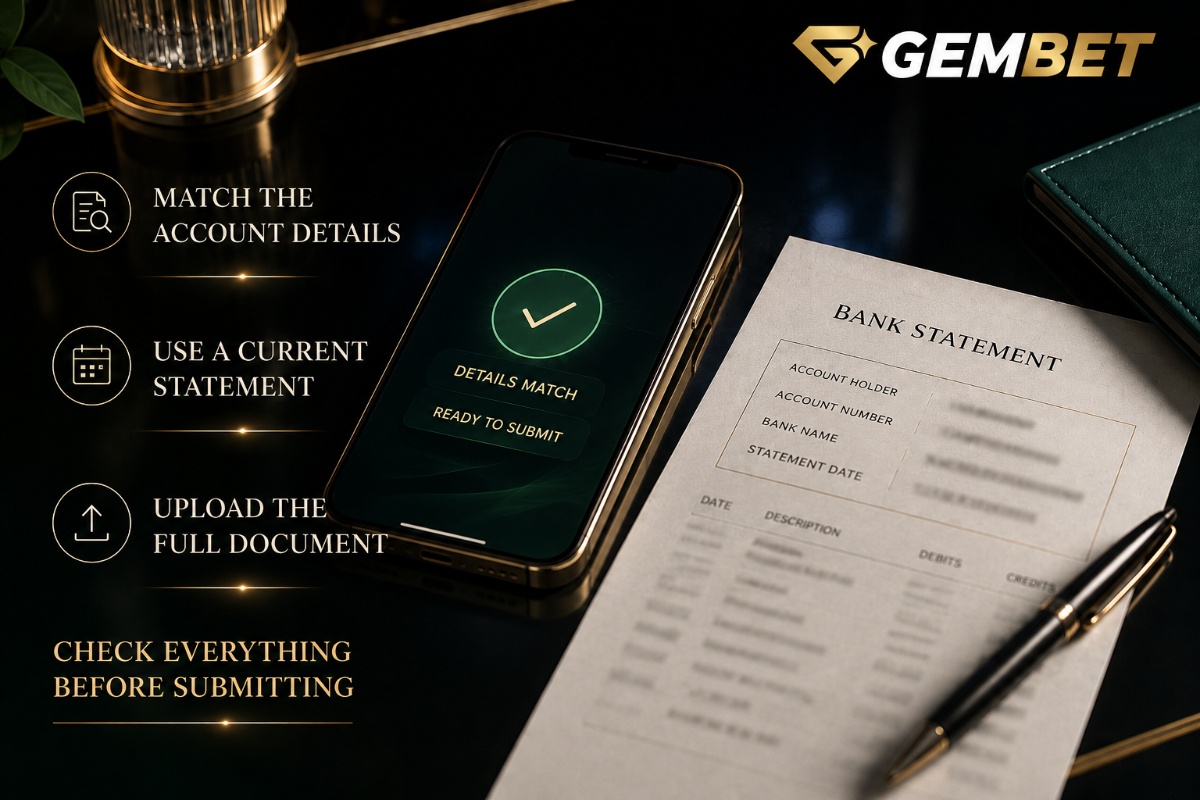
Bank account verification is one of the most important account checks to complete before relying on certain withdrawal methods. A request can be rejected when the account holder name, account number or uploaded statement does not match the information entered. On Gembet, bank account verification is completed from the Verification section by adding a bank account, entering the bank details and uploading a supporting statement. Knowing the document rules before submission can prevent avoidable delays and repeated uploads.
Bank account verification begins with matching information
The first requirement is accuracy. The details entered in the verification form should match the bank statement exactly. Small differences matter. A misspelt surname, duplicated character or incorrect account number can cause bank account verification to be denied even when the document belongs to you.
Before submitting, compare the account holder name, bank name and account number character by character. Do not rely on memory. Use the information printed on the statement as the reference and correct the form before uploading anything.
Use a bank statement that meets the document rules
Bank account verification requires a statement that clearly identifies the bank account. The bank name and logo should be visible, the statement date should be no more than six months old, and the account number must match the one entered in the request. The account holder’s first and last name must also match the information submitted.
The statement should be fully visible with all four corners shown. Cropping a screenshot too tightly can remove information needed for review. A clear document is easier to assess than several partial screenshots.
PDF is the simplest format when available
JPG, PNG and PDF files are accepted for bank account verification, with PDF preferred. The file size limit is 5 MB. If your banking app allows you to download an official PDF statement, that is usually cleaner than taking multiple screenshots because the bank branding, date, account number and account holder details can appear together.
If you use an image instead, make sure the text remains readable after upload. Blurry, compressed or incomplete images can create a rejection even when the information itself is correct.
Do not submit an old statement
A document older than six months does not meet the current bank account verification requirement. Check the statement date before uploading it. The date of the download is not necessarily the statement date, so opening an old PDF today does not make the document current.
If the statement is outdated, download a more recent one from your iBanking app or online banking portal. This is quicker than submitting an old document and waiting for a rejection.
Your account holder name needs to match
Name mismatches are a common source of trouble. Bank account verification compares the account holder information on the statement with the name entered in the request. If the bank uses your full legal name, enter it consistently rather than shortening it, dropping a surname or adding an unrelated nickname.
If your banking record contains a legitimate name format that differs from the account details you normally use, check the information before submitting instead of altering the document. Never edit a bank statement to make the names appear to match.
Bank account verification should use an unaltered document
A statement is supporting evidence, so the original information needs to remain visible. Do not erase transactions, change account details, replace names or digitally alter bank branding. An edited file can fail bank account verification and may create additional account-security questions.
If privacy is a concern, use the document required for the verification process and avoid sharing it outside the official account flow. Never send banking passwords, PINs or one-time authentication codes as part of a verification request.
How long does bank account verification take?
Current bank account verification requests normally take around 15 to 30 minutes to complete once the correct form and supporting statement have been submitted. That is a normal review window, not a promise that every request will finish at the same minute.
If the request is still being reviewed, avoid submitting duplicate verification forms unless the first one has been rejected or you have been instructed to correct it. Multiple versions of the same request can make it harder to know which document is being assessed.
A rejected request usually points to a fixable detail
If bank account verification is rejected, start with the document rather than repeatedly uploading the same file. Common problems include missing or unclear statement details, an invalid supporting identification document, expired documents or altered files.
Check the rejection reason, then correct the specific issue. If the account number was mistyped, fix the form. If the statement was cropped, upload the complete document. If the file was old, replace it with a current statement.
ID verification and bank verification are related but separate
Bank account verification confirms the bank information and ownership details used for the request. Identity verification confirms the person behind the account. An ID upload should be fully visible, valid and unexpired, and it should show the required information such as the photo, date of birth and expiry date.
Do not assume completing one automatically completes the other. If a verification page asks for an ID or passport as well as banking information, provide the required document through the appropriate section rather than attaching unrelated files to the bank statement upload.
PayNow withdrawals need the bank account verified first
Bank account verification has a direct practical effect on PayNow withdrawals. A verified bank account is required before the PayNow withdrawal option becomes available. After the bank account is approved, a PayNow account can be added from the Verification area using the required identifier and nickname.
This is different from making a PayNow deposit. A PayNow deposit does not currently require the bank account to be verified first. That distinction prevents a common misunderstanding where a successful deposit is assumed to mean the withdrawal setup is already complete.
Bank account verification can prevent a withdrawal surprise
If you expect to withdraw through PayNow later, completing bank account verification before you urgently need the withdrawal can prevent unnecessary friction. Waiting until the exact moment you want to withdraw means any document mistake must be corrected before that method becomes available.
The goal is not to rush verification. It is to complete it carefully while you have time to check the statement, file format and account details.
Do not confuse verification with a deposit delay
A bank account verification problem and a missing deposit are different issues. Our deposit pending guide covers situations where money has already been transferred but the account balance has not yet updated. Verification instead concerns confirming bank ownership and account information.
This difference matters when troubleshooting. Uploading another bank statement will not speed up an ordinary payment-processing delay, just as repeating a deposit will not correct a rejected verification document.
Check the exact account number before uploading
One wrong digit can stop bank account verification even when every other detail is correct. Compare the number entered in the form with the number shown on the statement before pressing submit. Do not confuse a card number with a bank account number, and do not assume an account identifier from another payment method is interchangeable.
If you maintain several accounts at the same bank, make sure the statement belongs to the exact account being added. The bank logo matching is not enough if the account number is different.
Use the current Gembet verification flow
For bank account verification on Gembet, open the Profile area, select Verification, choose Add Bank Account, select the bank, complete the form and upload the supporting statement. The current bank account verification guide lists the accepted document requirements and troubleshooting steps.
Use the information shown in the current verification page as the final reference. Account processes can change over time, so an old screenshot or instructions copied from an unrelated site should not replace the live account flow.
Bank account verification is easier when you check once before submitting
The quickest way through bank account verification is usually not repeated submission. It is one careful review before the first upload. Confirm the bank name, account holder name, account number, statement date, visible bank logo, full document edges, accepted file format and file size.
When those details match, bank account verification becomes a straightforward account step rather than a guessing process. If a request is rejected, correct the stated issue rather than editing the evidence or sending duplicate forms. Bank account verification is designed to connect the account with the banking information being used, so accurate, current and unaltered documents provide the clearest route through the review.
Experience the real deal with SG's top Live Dealers. Play Baccarat, Roulette & more.

